
| SECMAN HACKING PROCEDURE | 1. Install Xplore.sis Install keygen to get ur xplore license no. And register... 2. Install binpda secman.sis and open it afterwards it will reboot ur phone then run it again and turn platform security off, install root certificate, overwrite 3. Go to Xplore press 0 and check all the boxes copy "CProfDriver_SISX.ldd" and installserver.exe into "C:\sys\bin". But 1st know the platform type of ur phone.. Heres the list: Pre-FP1 devices: Nokia N77 Nokia E61i Nokia E65 Nokia N93i Nokia N91 8GB Nokia E62 Nokia E50 Nokia 5500 Nokia N93 Nokia N73 Nokia N80 Nokia N71 Nokia N92 Nokia E70 Nokia E60 Nokia E61 Nokia 3250 FP1 devices: Nokia 6124 classic Nokia N82 Nokia N95-3 NAM Nokia E51 Nokia N95 8GB Nokia N81 Nokia N81 8GB Nokia 6121 classic Nokia 6120 classic Nokia 5700 XpressMusic Nokia 6110 Navigator Nokia E90 Nokia N76 Nokia 6290 Nokia N95 4. Afterwards install Jbaktaskman.. If it installed.. Congratz.. Now ur phone is successfuly hacked. Hehehe.. U can now install unsigned apps, and even expired certificates Working on my E51! Gudluck! Heres the link to download: download secman |
|---|
| INSTALLING NGAGE2.0 | Step 1 - "Installing the N-Gage application" Install N-Gage_1.01_Build_1281_(2007).sisx to your memory card. Continue installing the application by ignoring the warning that it is not compatible to your phone and some missing OS pipes. Step 2 - "Installing the missing Symbian OS Pipes" Noticed the missing Pipes? Now you'll install them. Install the Symbian_OS_Pipes_v1.2.sis to your memory card. It might or might not ask you to override it's previous version, if it does, click yes. Step 3 - "Copy 20001079.txt to private parts of the phone the phone" Remember the application SecMan we installed on your phone. This is the time to use it. First open SecMan, turn platform security off, and activate the root certificate instalment. Now open your file explorer and copy 20001079.txt to "C:/private/10202be9". DO NOT OVERWRITE IF YOU ARE ASKED TO. This is much safer because the one on your phone is already it's default settings. I think it COULD mess up your game, speed of the game, resolution if you overwrite it. Now exit. Don't forget to delete "C:\Private\10202be9\persists\20001079.cre". Step 4 - "Installing the N-Gage AutoStart" Just install Nokia_N-Gage_AutoStart_v2.04.sis to your phone, ignore the "not compatible" warning. Move on to the next step. Step 5 - "Installing the N-Gage Patch" Again, just install Nokia_N-Gage_Patch.sis. And now you're done installing the N-Gage application. You now have your N-Gage launcher application. Restart your phone (just to be safe). Step6 - "Installing the .n-gage files" Put .ngage files to E:\ngage. Now open the N-Gage launcher. It could take about 5-10secs for loading. Wait for the "Preparing installation" warning to finish, but you still got no games. Press right on your keypad, you should see all your "to-be playable" games but only they are a little bit blurred. No worries, just click one up and it will ask you where to install and after it is done, exit first and set SecMan to default, and then restart your phone, then play. And we are done!!! Heres the link to download:  |
|---|
| TRIBES/2WAP | **For Tribes Make a new access point ip address: 67.228.127.90 port: 80 homepage: http://wap.smart.com.ph/demo/user/options.htm Then go to web application and set this as default connection. On Standby mode long press zero to automatically start the web app. Use for direct downloading of files. **For 2Wap Make a new access point ip address: 67.225.156.76 port: 80 homepage: http://wap.smart.com.ph/p.php?q=http%3A%2F%2Fdarkflameknight.wapath.com&hl=0 this will direct you to my wapsite.. you can also upload to friendster or upload any files using this trick **Note Disconnect all active connection first before you open the built in web browser to avoid *Page not Found** |
|---|
| SPEED UP YOUR PHONE | First go to To-do List Make a note and input as follows: Subject: Speed Due Date: 01-29-2005(mm-dd-yy) Priority: set to High then press Done Make a second note and input as follows: Subject: Qoukie Due Date: 01-29-2005(mm-dd-yy) Priority: set to Low press Done Do not Exit yet, Press the Option of your note which is Speed and Mark as Done Press the Option of your note which is Qoukie and Mark as Done now Reboot your Phone |
|---|
| SILENT YOUR CAMERA | First hack your phone using my Secman Hacking Procedure Next Open Xplore.. go to Z:\Private\10202be9\ and look for 101f8809.txt and copy it to memory card Now exit from Z:\ and go to the 101f8809.txt in the memory card Edit the file by pressimg 8 to open the text editor at the end of the file you will find the line 0 x 7 int 1 0 cap_rd=always pass cap_wr=always fail change 1 to 0 making it 0 x 7 int 0 0 cap_rd=always pass cap_wr=always fail save now open Secman and open capabilities copy the 101f8809.txt to C:\Private\10202be9 folder and exit now go to your Silent Profile.. set warning tones off and activate the profile.. Open your Camera take one shot.. if you hear no click sound.. Congratz.. Your camera sound is successfully hacked |
|---|
| BUILT IN CGI DOWNLOADING | First Go to TOOLS¤SETTINGS¤CONNECTION¤ACCESS POINTS Press OPTION¤and create NEW ACCESS POINT and write the following CONNECTION NAME»» CGI TRICK ACCESS POINT NAME»» internet HOMEPAGE»» http://wap.igma.tv/cgi-bin/proxy/nph-proxy.cgi/010100a/ then press OPTIONS¤ADVANCE SETTINGS and write this for PROXY SERVER ADDRESS»» 217.65.12.26 PROXY PORT NUMBER»» 80 NOW LETS GO TO BUILT IN WEB BROWSER go to SETTINGS¤GENERAL¤ACCESS POINT¤USER DEFINED¤ and choose CGI TRICK and we are done. Now on ur standby mode just long press zero to automatically open ur built in web browser BONUS heres the link to my mod opera browser just copy the link http://wapshare.us/37239 download and connect using this trick |
|---|
| CHANGING FONT + LOGOS AND SYMBOLS | 1. Install the fontrouter app for your phone on your MEMORY CARD.. 2. Copy the ttf file to E/data/fonts for s60v3, and E/System/Font for S60.. 3. Then reboot your phone Here are the links to download Fontrouter for S60v3 Fontrouter for S60 After reboot just copy the txt file using Xplore and save to your drafts HOW TO REMOVE FONT 1. Remove the Memory Card 2. Reboot your phone and insert the memory card after the phone finishes reading 3. Open Xplore and go to E/data/fonts or E/system/font and delete the ttf file 4. Reboot for the last time You can also change the ttf file but you wont see the images anymore Here are the SCREENSHOTS 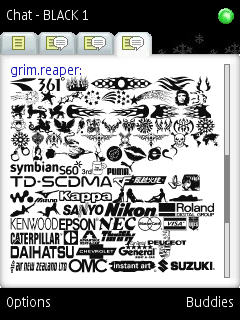 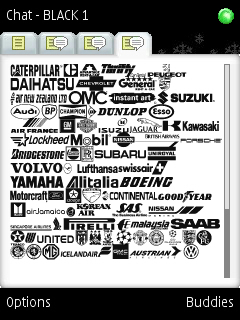 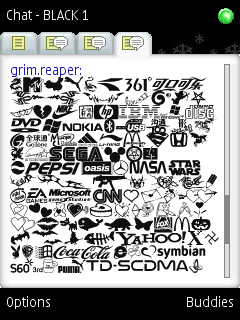 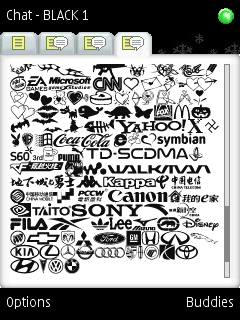 |
|---|